macOS Menu Bar App

Never Lose
What You Copied

ClipQueue keeps your recent text and image clips right in the menu bar, ready to restore whenever you need them — completely offline, 100% private.

ClipQueue main interface showing clipboard history

Features

Everything you need,
nothing you don't

A laser-focused tool that stays out of your way until you need it.

Clipboard History

Every piece of text or image you copy is captured automatically and stored locally on your Mac — up to 200 clips.

Menu Bar Access

Click the menu bar icon to see your recent clips. Select any item to put it back on your clipboard — then paste with ⌘V.

Local Only

Your clipboard data never leaves your Mac. No cloud sync, no servers, no accounts — everything stays on-device.

Image Support

Screenshots, photos, and any image you copy are captured right alongside your text clips, ready to be restored.

Flexible Preferences

Choose how many clips to remember (10–200), how many show in the panel, and whether history persists across launches.

Clear On Demand

Delete individual clips or wipe your entire history with one tap. Clearing is instant and complete — nothing lingers.

See it in action

Designed for your workflow

A clean, native macOS experience that blends right into your system.

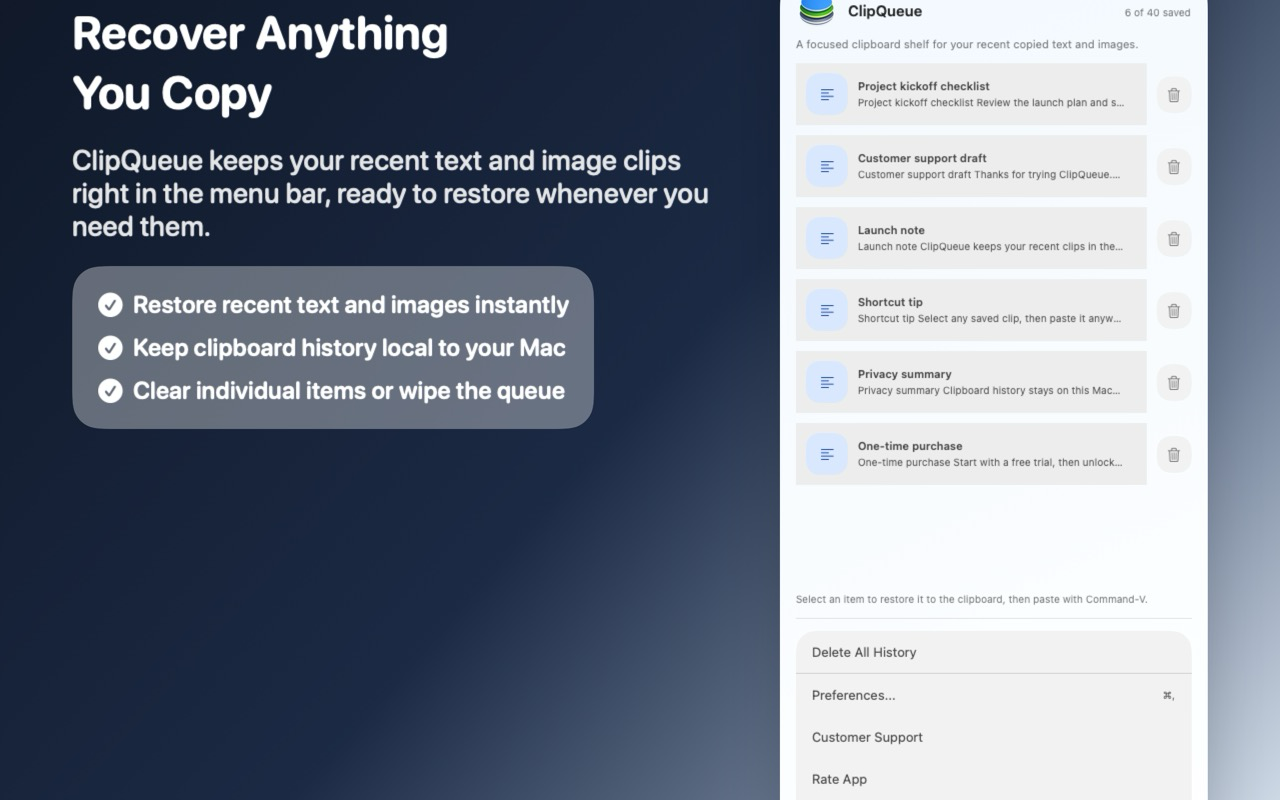
Recover Anything You Copy

ClipQueue keeps your recent text and image clips right in the menu bar, ready to restore whenever you need them. Select any saved clip to put it back on your clipboard, then paste with ⌘V.

  • Restore recent text and images instantly
  • Keep clipboard history local to your Mac
  • Clear individual items or wipe the queue
ClipQueue menu bar panel showing clipboard history

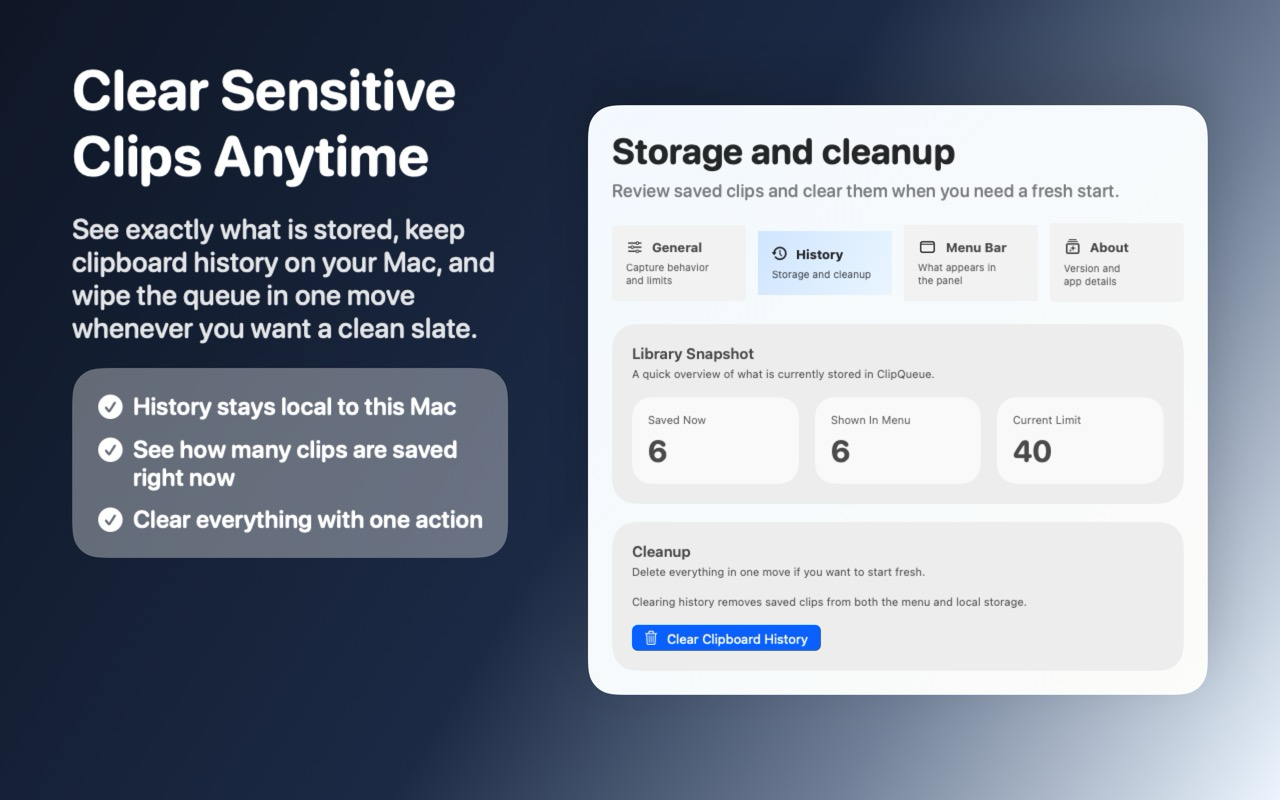
Clear Sensitive Clips Anytime

See exactly what is stored, keep clipboard history on your Mac, and wipe the queue in one move whenever you want a clean slate.

  • History stays local to this Mac
  • See how many clips are saved right now
  • Clear everything with one action
ClipQueue history and cleanup preferences

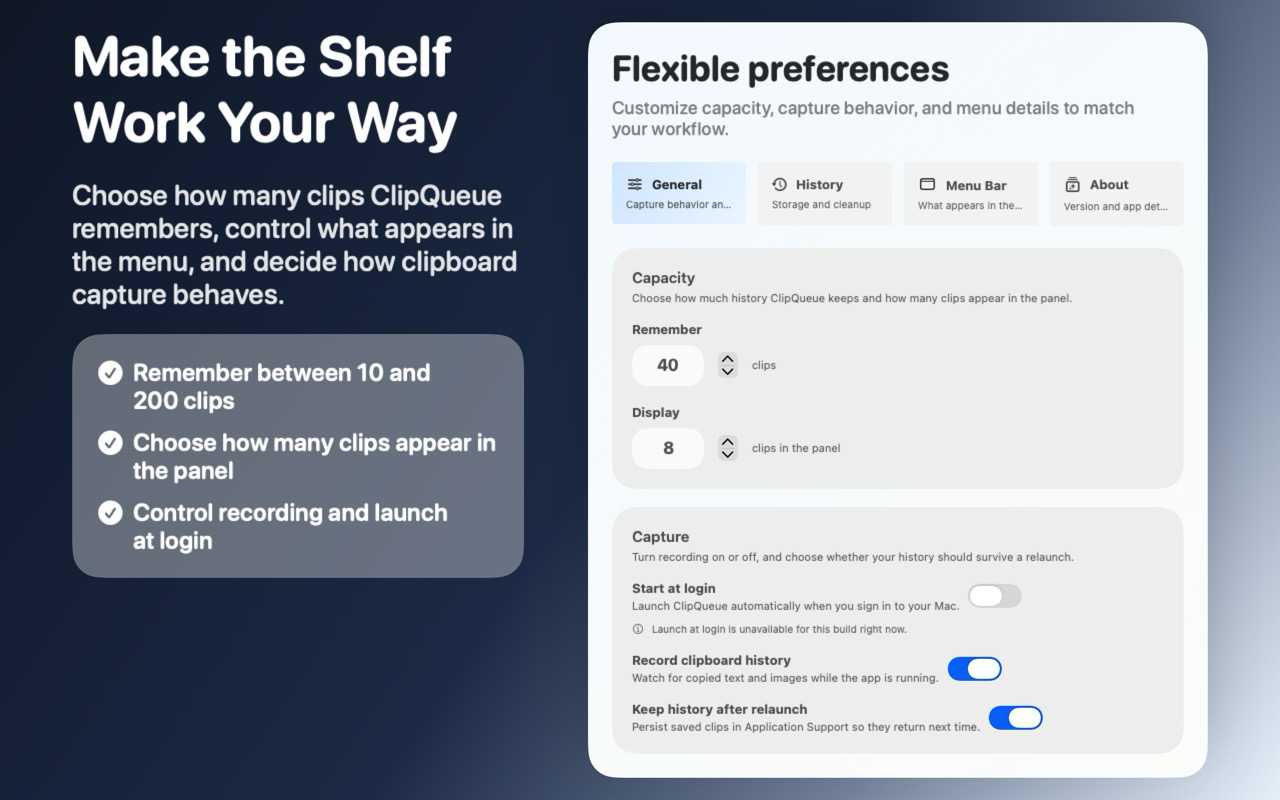
Make the Shelf Work Your Way

Choose how many clips ClipQueue remembers, control what appears in the menu, and decide how clipboard capture behaves.

  • Remember between 10 and 200 clips
  • Choose how many clips appear in the panel
  • Control recording and launch at login
ClipQueue general preferences panel

Privacy

Your data stays on your Mac.
Always.

ClipQueue is built with privacy as a first principle, not an afterthought.

Fully Offline

All clipboard processing happens entirely on your device. ClipQueue requires no internet connection and makes zero network requests.

No Data Leaves Your Mac

Your clipboard contents — texts, images, passwords, and anything else you copy — is never transmitted to any server or third party.

No Accounts Required

There is no sign-up, login, or user profile. ClipQueue works without knowing anything about who you are.

Delete Anytime

Clear individual clips or your entire history at any moment. When you delete — it's gone, completely and immediately.

ClipQueue does not collect analytics, crash reports, or any telemetry. It does not store any information outside the app and all processing is done entirely offline on your Mac.

ClipQueue icon

Start recovering
what you copy

Available exclusively on the Mac App Store. Free to try.

Download on the App Store

Support

We're here to help

Have a question, found a bug, or just want to share feedback? Reach out and we'll get back to you.

Contact Support

Send an email to our support team and we'll respond as quickly as possible.

Email Support

apps@maadotaa.com