Never lose track of
what just happened while watching TV

Pause any movie or TV show, snap a photo of your screen, and get an instant, spoiler-safe explanation of exactly what's going on β€” powered by AI.

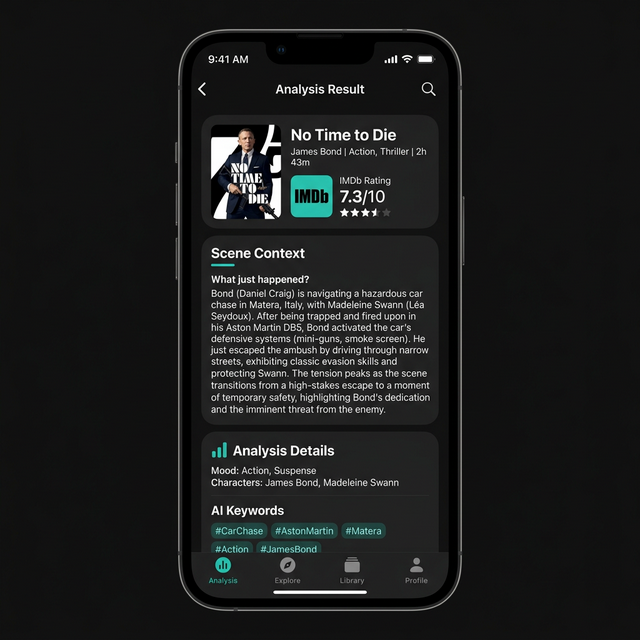
Recap app showing scene analysis of No Time to Die
🎬
No Time to Die Confidence: 1.00
✨
Scene analyzed Spoiler-safe recap ready
Everything you need to
understand any scene

Recap uses state-of-the-art AI to identify what you're watching and deliver the context you need β€” without spoiling what comes next.

Find Context Instantly

Recap identifies what you are watching and explains exactly what just happened without spoiling future moments.

Camera or Library

Snap a photo directly with your camera or pick an image from your photo library β€” whatever's easiest.

Ask Follow-up Questions

After analysis, ask specific questions about the current moment to get quick, spoiler-safe clarification.

Spoiler-Safe

Configurable spoiler modes ensure you only see context up to the exact moment you paused β€” nothing beyond.

Grounded in Facts

Results are backed by Google Search grounding for accurate episode, character, and plot information.

Rich Scene Details

Get what just happened, recent revelations, relevant backstory, why the scene matters, and source links β€” all in one tap.

Three simple steps to
your perfect recap

1

Capture the Right Frame

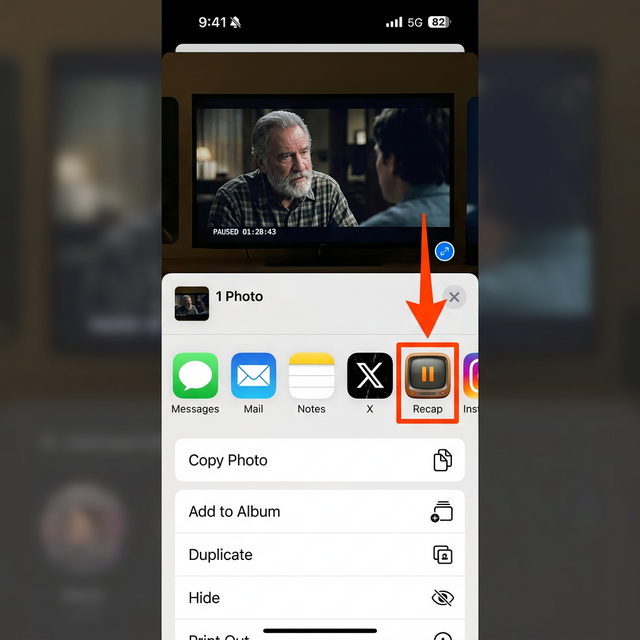
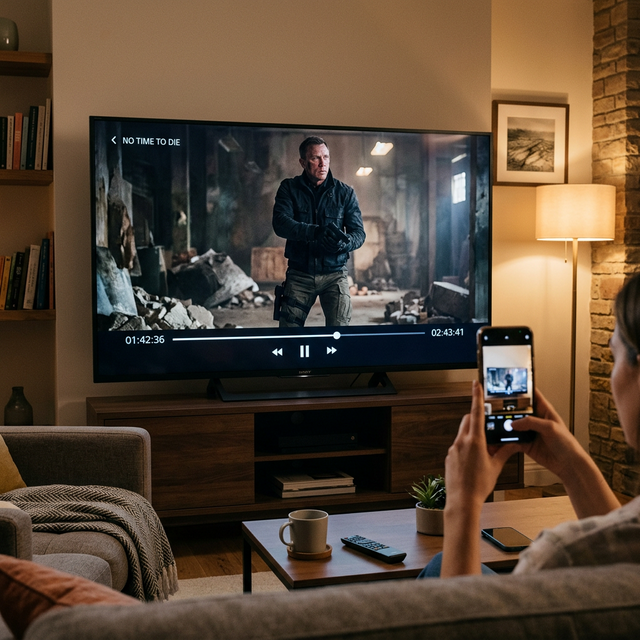
Pause the TV or movie and include the show or movie title plus the on-screen timestamp in your snapshot for accurate results.

Capturing a paused scene from a TV
2

Analyze the Scene

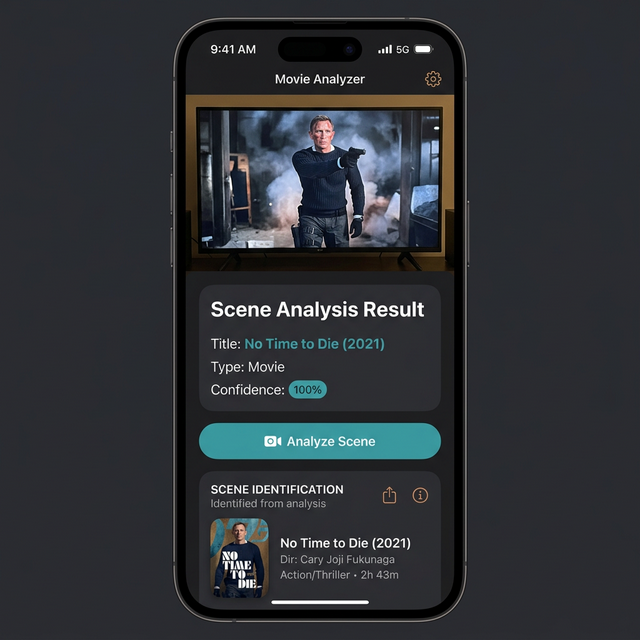
Tap "Analyze Scene" and let AI identify the movie or show, then stream a detailed, spoiler-safe recap of everything up to that exact moment.

Recap showing scene identification and context
3

Ask Follow-up Questions

Still confused? Ask specific questions about the current moment and get quick, safe clarification without rewinding.

Q: Who is the villain in this scene?
A: Safin, played by Rami Malek, is the primary antagonist. He developed a bioweapon called Heracles that targets specific DNA…

Your privacy matters

We believe your data is yours. Here's how Recap handles your images.

No Storage

We do not store any of the images you provide to this app. Once your analysis is complete, the image is discarded.

No Sharing

We do not share any of the images you provide with any third party beyond the analysis service.

AI Processing Only

Images are shared with a generative AI model (Gemini) solely for the purpose of analyzing the scene. This is the only context in which your image is transmitted.

Get in touch

Have questions, feedback, or need help? We'd love to hear from you.

Email Us

Reach out and we'll get back to you as soon as possible.

Send Us an Email