PhonoCalibre

Calibrate Your Turntable
with Scientific Precision

PhonoCalibre uses your iPhone's Core Motion sensors to measure wow & flutter and level your platter — no test record, no external hardware, just pure physics.

Requires iOS 18 or later · Compatible with 33⅓ & 45 RPM turntables
PhonoCalibre Speed Measurement Dashboard

Everything You Need for Turntable Calibration

Professional-grade measurements using the sensors already in your pocket.

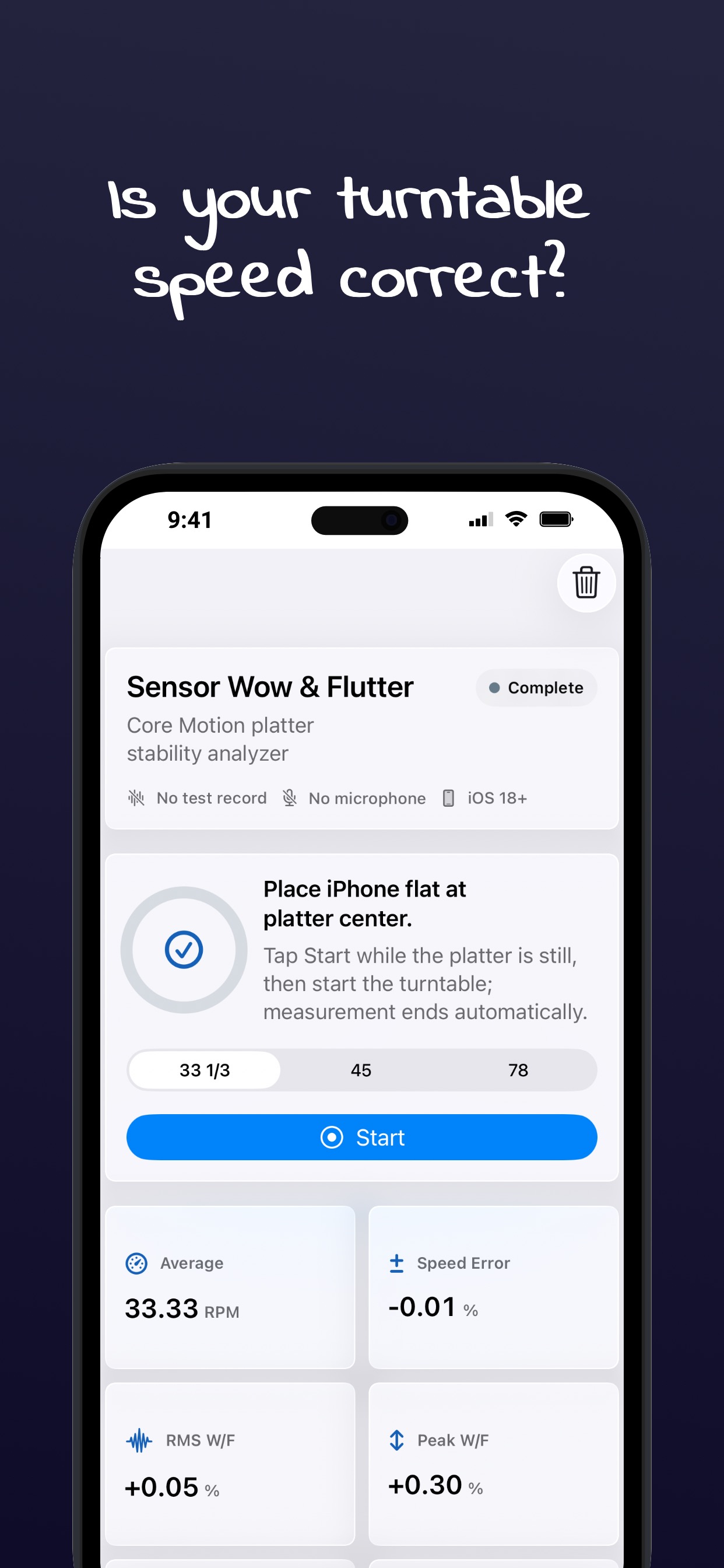
Sensor Wow & Flutter

Measures RMS and peak wow & flutter using the iPhone gyroscope — no test record or external sensor required. Compatible with 33⅓ and 45 RPM.

  • Average & instantaneous RPM
  • Speed error percentage
  • RMS & peak wow/flutter
  • Drift & confidence scoring

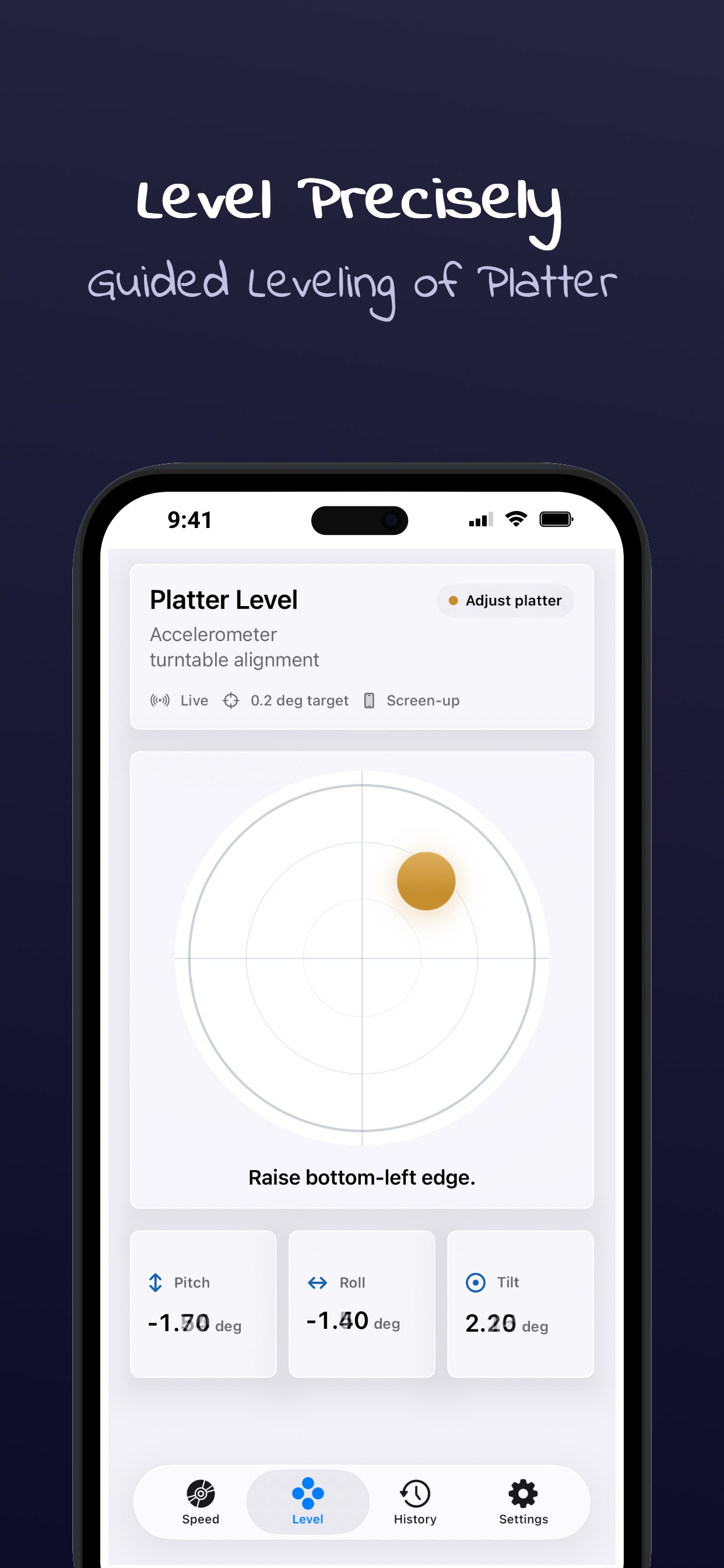
Platter Level

Precision accelerometer-based leveling with a responsive bubble display. Guides you to within 0.2° for optimal platter alignment.

  • Live pitch, roll & tilt readouts
  • Visual bubble guidance
  • Real-time adjustment feedback
  • 0.2° target accuracy

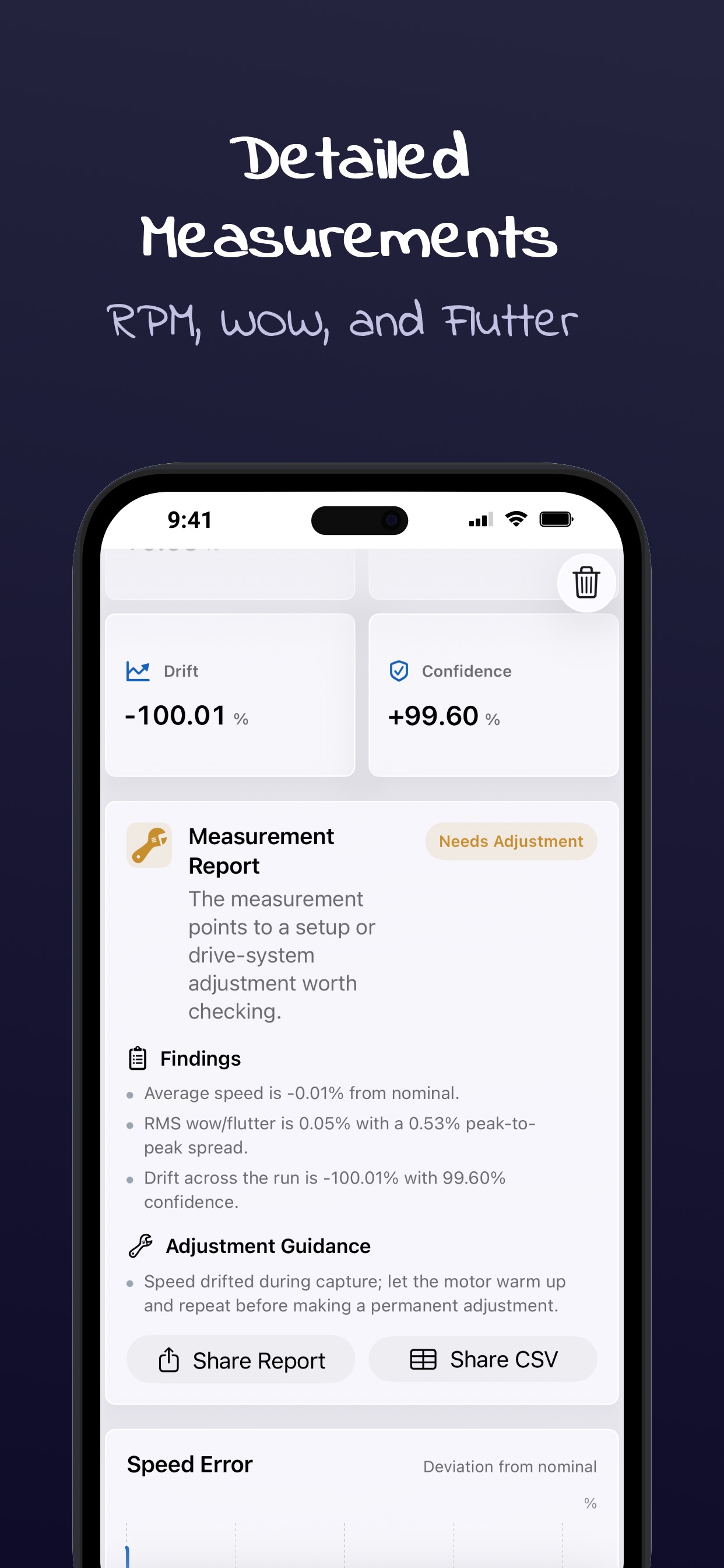
Measurement Reports

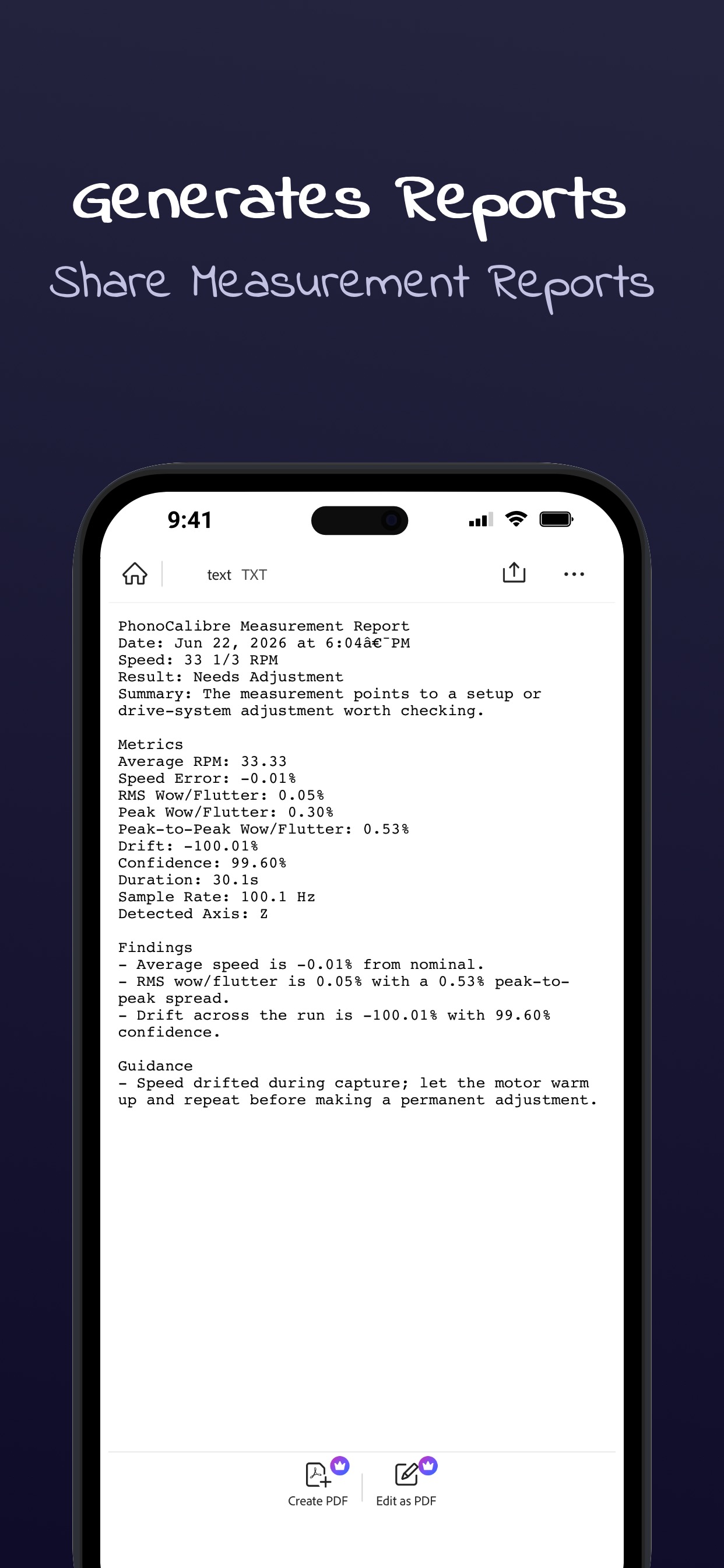
Every session produces a detailed quality report with an automatic grade — Excellent, Good, Needs Adjustment, or Retest — plus actionable guidance.

  • Automatic quality grading
  • Actionable adjustment guidance
  • Shareable text reports
  • CSV data export

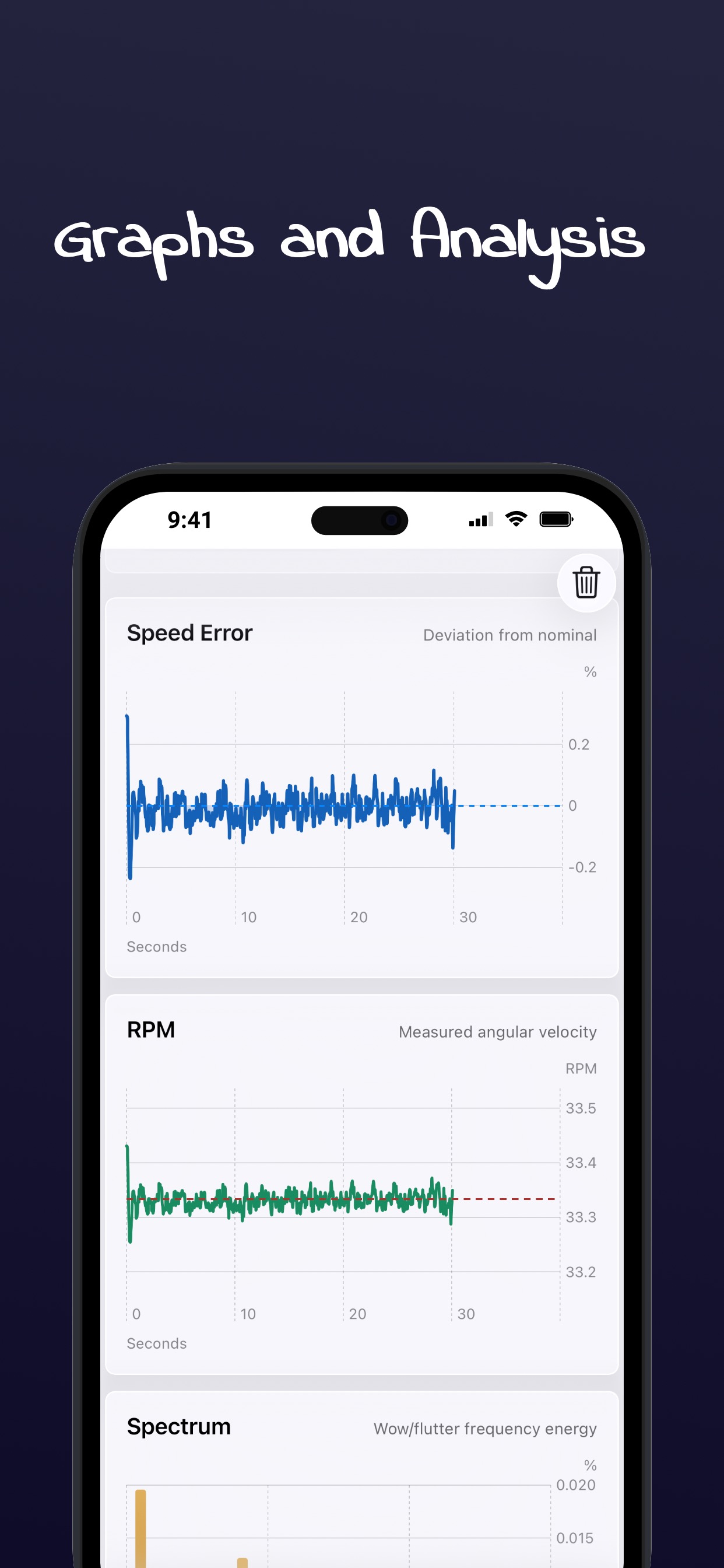
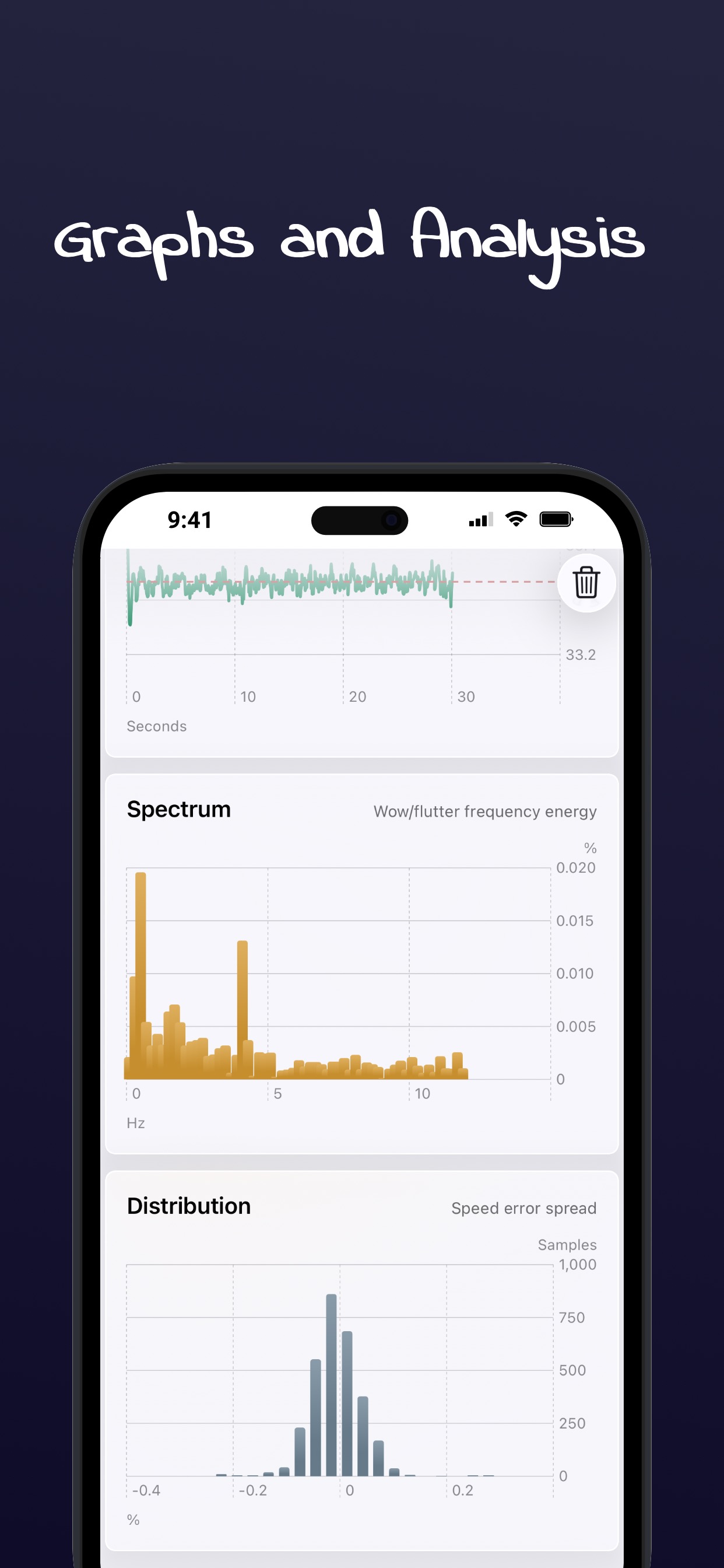
Rich Visualization

Interactive charts for speed error, RPM, spectrum analysis, and distribution — all rendered natively with Swift Charts.

  • Speed error over time
  • RPM deviation chart
  • Frequency spectrum analysis
  • Error distribution histogram

History & Comparison

Every measurement is saved and can be revisited. Select any two sessions to compare before/after changes when adjusting your turntable.

  • Full session history
  • Before / after comparison
  • Side-by-side metric deltas
  • Swipe to delete sessions

100% Private

All processing happens on your iPhone. No data is ever uploaded, shared, or transmitted. No account required. Your turntable data stays yours.

  • On-device processing only
  • No data collection
  • No account needed
  • No internet required

How It Works

From setup to calibrated — four simple steps to dial in your turntable.

1
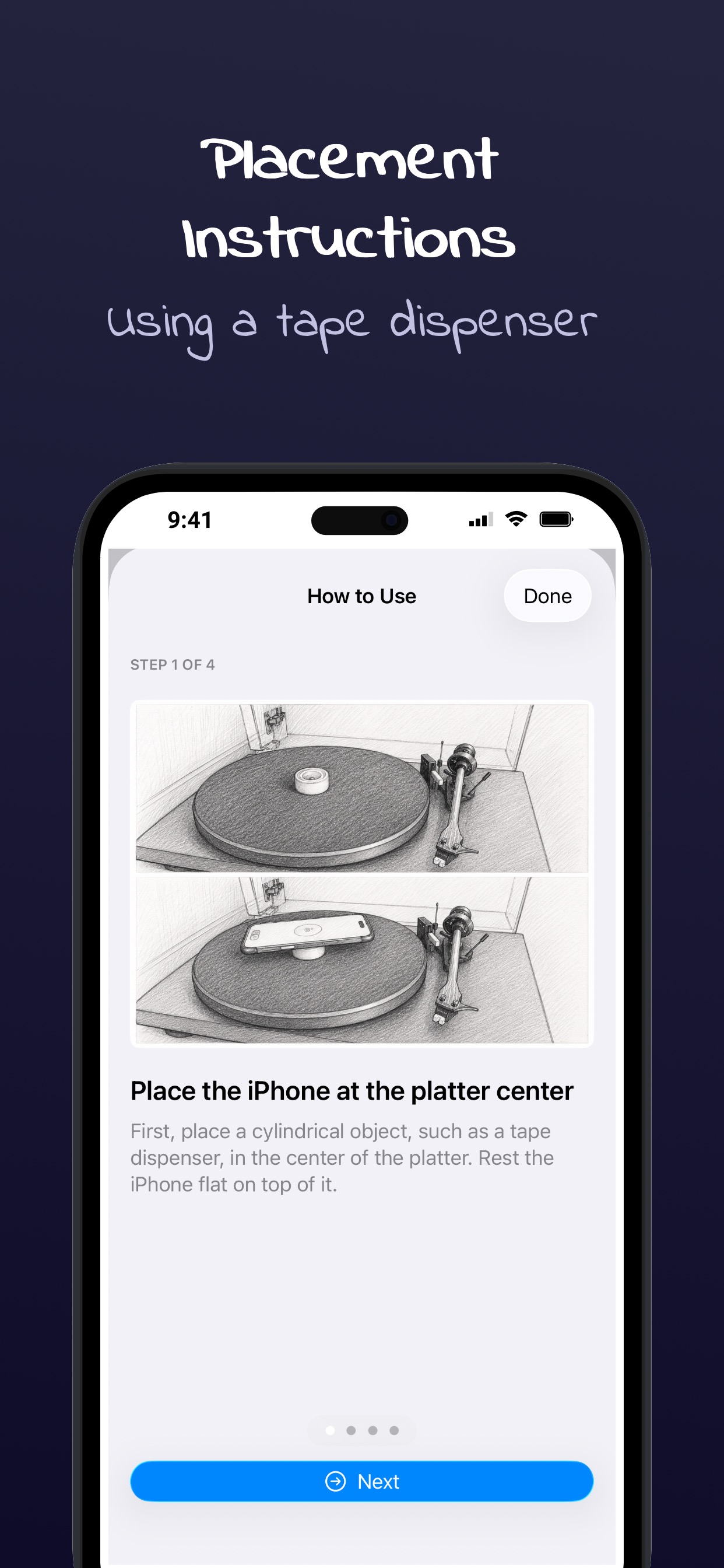
Place iPhone on platter

Place Your iPhone

Rest your iPhone screen-up on a cylindrical object at the center of the platter. The app guides you through optimal placement.

2
Level the platter

Level the Platter

Use the built-in bubble level to adjust your turntable feet. The accelerometer guides you to within 0.2° of perfect alignment.

3
Start measurement

Start Measurement

Select your turntable speed, tap Start, and let the platter spin. PhonoCalibre captures 30 seconds of gyroscope data and computes wow & flutter.

4
Review report

Review & Adjust

Get an instant quality grade with specific findings and adjustment guidance. Compare before/after measurements to track improvements.

Ready to Calibrate Your Turntable?

PhonoCalibre is free to download. Start measuring wow & flutter and leveling your platter today.

Download on the App Store

Need Help?

We're here to assist you with any questions about PhonoCalibre.

Email Support

Reach out and we'll respond as quickly as possible.

apps@maadotaa.com

Built-in Guide

The app includes a step-by-step onboarding guide that walks you through placement, leveling, and measurement.

Learn More